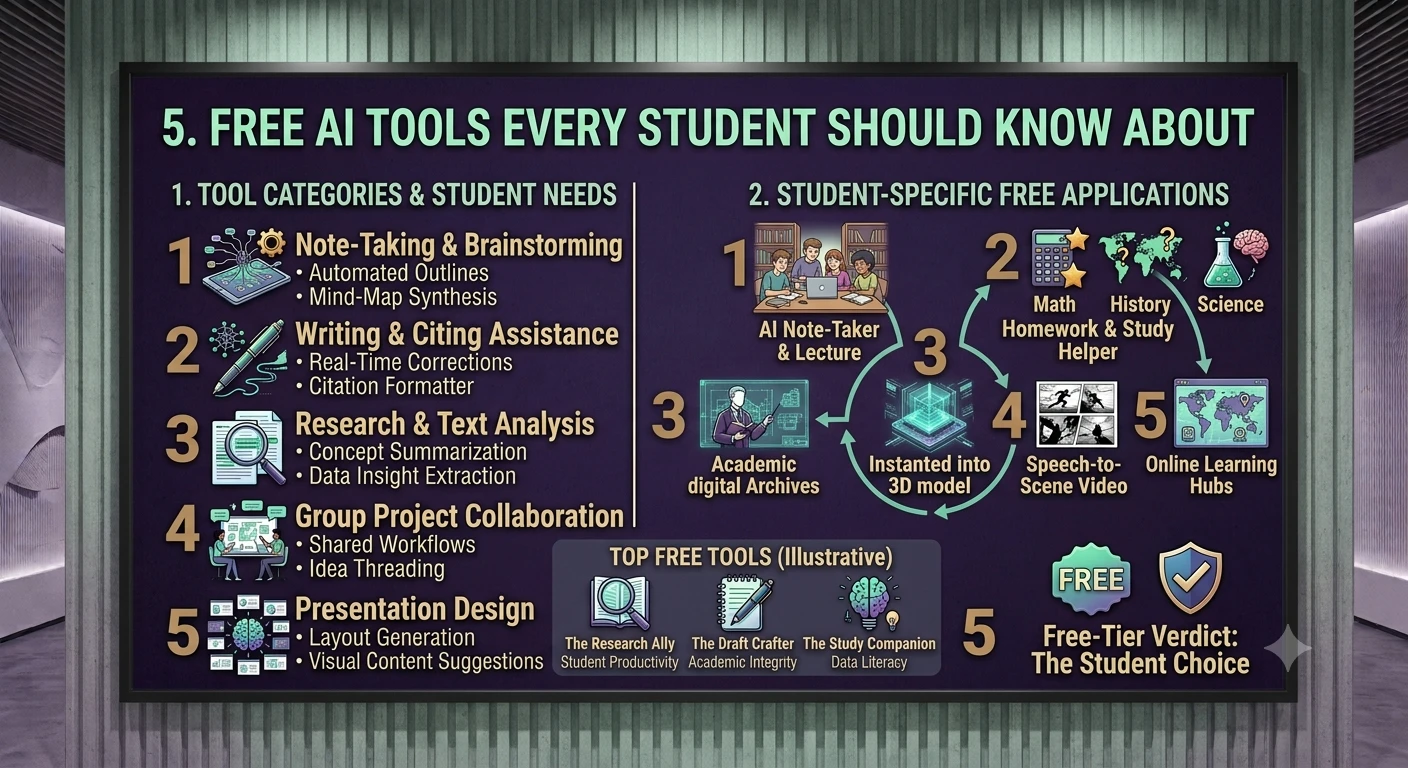
A practical list of free AI tools that genuinely help with studying, writing, and research.
1. Introduction — Using AI as a Student, Responsibly
AI tools have quietly become part of normal student life — not just for shortcuts, but for genuinely useful things: turning a dense reading into a clear summary, explaining a concept a professor rushed through, generating practice questions before an exam, or catching awkward phrasing in an essay draft before you submit it.
The tools below are organized by task rather than by brand, because the right tool depends on what you're actually trying to do. A great research assistant can be mediocre at exam prep, and a strong writing tool can be useless for a physics problem set. Each entry below includes what the tool does, who it's genuinely best for, what you actually get for free, and a practical tip for getting more out of it.
One theme repeats throughout: AI output is a draft, not a final answer. Summaries can flatten nuance, and practice questions are only as good as the material you feed in. Always check output against your syllabus, your source material, and your own understanding before submitting graded work.
2. Research & Reading
NotebookLM
Google Free
What it does: Upload your own readings, lecture slides, and PDFs, and NotebookLM builds a private, searchable assistant that only answers from those specific documents — rather than the open internet. Ask it to summarize a chapter, compare two readings, or explain a theory in simpler terms, and every answer links back to the exact source passage it used.
Best for: Turning a stack of assigned readings or lecture slides into something you can actually query and review before an exam.
Free plan reality: Genuinely free with generous upload limits for individual use; a Google account is all you need.
Student tip: Upload an entire unit's readings at once, then ask it to generate a study guide covering only the themes that show up across multiple sources — that's usually what actually gets tested.
Perplexity
Perplexity AI Free (paid Education tier available)
What it does: An AI search engine that answers your question by actually browsing the live web and citing its sources with numbered references, rather than relying only on pre-trained knowledge. This makes it unusually good for fact-checking and for topics that need current information.
Best for: Research questions where you need to verify claims and trace them back to a real source — current events, statistics, recent developments in a field.
Free plan reality: Unlimited basic search; a limited number of more thorough "Pro Search" queries per day. A steeply discounted Education plan (roughly half the normal Pro price) is available with a verified school email.
Student tip: Never treat a cited answer as automatically correct — click through and confirm the source actually supports the claim before citing it yourself in an assignment.
Consensus / Elicit
Independent research tools Free tiers
What it does: Both tools search specifically across peer-reviewed academic papers rather than the general web, summarizing what the research actually says on a question and showing you the underlying studies.
Best for: Literature reviews, finding supporting sources for a research paper, or getting a quick read on "what does the evidence actually say" about a research question.
Free plan reality: Free tiers allow a limited number of searches or paper summaries per month; heavier use requires a paid plan.
Student tip: Use these before you open Google Scholar — they'll often surface the 3-4 papers actually worth reading in full, saving you from skimming dozens of abstracts.
3. Writing & Editing
ChatGPT / Claude / Gemini
OpenAI / Anthropic / Google All have real free tiers
What it does: General-purpose AI chatbots that can brainstorm essay angles, help you outline an argument, explain a confusing concept, rewrite a clunky paragraph, or talk through writer's block. Each has slightly different strengths: many students find Claude produces less generic-sounding prose and stronger code explanations, ChatGPT is the most broadly capable all-rounder with the biggest plugin ecosystem, and Gemini integrates directly into Google Docs if that's where you already write.
Best for: Early-stage thinking: brainstorming, outlining, working through confusion on a topic, and getting a second opinion on a draft.
Free plan reality: All three offer usable free tiers, with rolling usage limits (message caps that reset every few hours) rather than a fixed daily count.
Student tip: Don't ask for a finished essay — ask for an outline, then write the actual paragraphs yourself and use the AI to react to your draft. This produces better writing and keeps the ideas genuinely yours.
Grammarly
Grammarly Free (paid Premium/Pro tiers)
What it does: An AI-powered writing checker that flags grammar mistakes, awkward phrasing, tone issues, and clarity problems directly inside your document, browser, or word processor as you type.
Best for: Catching grammar and clarity mistakes in essays, emails to professors, and any formal written work before you submit it.
Free plan reality: The free tier covers core grammar, spelling, and basic clarity suggestions; tone detection and advanced rewrites are gated behind the paid tier.
Student tip: Run it as a final pass, not your first draft tool — relying on it while writing can make you a passive editor of your own ideas instead of the author.
QuillBot
QuillBot Free (paid Premium tier)
What it does: A paraphrasing and summarizing tool: paste in a paragraph and it rewrites it in a different style, or condenses a long passage into a short summary. Also includes a basic grammar checker and citation generator.
Best for: Rephrasing your own clunky sentences, or quickly summarizing a long passage to check whether it's relevant to your topic before committing to reading it in full.
Free plan reality: Free tier caps the number of words you can paraphrase per pass and limits which paraphrasing "modes" (formal, fluent, creative) are available.
Student tip: Use it to rephrase your own writing for clarity, not to rewrite someone else's text and pass it off as original — that's still plagiarism even after paraphrasing.
4. Notes & Transcription
Otter.ai
Otter.ai Free (paid plans for more minutes)
What it does: Records and transcribes lectures or meetings in real time, then generates an automatic summary and lets you ask questions about what was said. Useful for classes where the professor talks faster than you can write.
Best for: Lecture-heavy courses, seminars, and group project meetings where you want a searchable record of what was actually said.
Free plan reality: A monthly allotment of free transcription minutes; heavier recorders (multiple long lectures per week) will hit the cap and need a paid plan.
Student tip: Always check your institution's recording policy and get a professor's permission before recording a lecture — this varies by school and country.
Notion AI
Notion Free (AI features require add-on or paid plan)
What it does: Built into the popular note-taking and organization app Notion, this AI can summarize a page of notes, draft an outline, or answer questions based on your own notebook of class notes and documents.
Best for: Students who already organize their notes, readings, and to-do lists inside Notion and want AI help without switching apps.
Free plan reality: Notion itself is free for individual students; the AI add-on typically requires a small add-on fee or a paid workspace plan, though student discounts are often available.
Student tip: If you're not already a Notion user, NotebookLM (above) covers similar ground for free without needing to adopt a whole new note-taking system.
5. Study & Memorization
Quizlet (AI features)
Quizlet Free (paid Plus tier)
What it does: The classic flashcard app now includes AI features that can generate a set of flashcards or practice questions automatically from your notes or a textbook chapter, plus adaptive practice modes that focus on what you keep getting wrong.
Best for: Memorization-heavy subjects — vocabulary, definitions, dates, formulas — where spaced repetition genuinely helps.
Free plan reality: Free tier covers manual flashcard creation, studying shared public sets, and basic practice modes; AI-generated flashcard sets and advanced practice tests are often limited or paid-only.
Student tip: Paste in your own lecture notes rather than a generic online set — flashcards matched to your specific professor's wording and emphasis are far more useful than a stranger's generic deck.
6. Math & Science
Wolfram Alpha
Wolfram Free (paid Pro tier for step-by-step solutions)
What it does: A computational engine (not a chatbot) that can solve equations, graph functions, and answer quantitative questions across math, physics, chemistry, and engineering — showing the actual calculation, not just a final number.
Best for: Checking your work on algebra, calculus, statistics, and other quantitative problem sets, and visualizing functions and equations.
Free plan reality: The free version gives you the final answer and a graph; full step-by-step solution walkthroughs require the paid Pro tier.
Student tip: Use it to check your answer after you've attempted the problem yourself — the free tier's lack of full steps actually works in your favor here, since it won't tempt you to just copy a solution.
Photomath
Photomath Free (paid Plus tier)
What it does: Point your phone camera at a printed or handwritten math problem, and it recognizes the problem and shows a step-by-step solution, from basic arithmetic through calculus.
Best for: Quickly checking homework problems and seeing a worked solution method when you're stuck on a specific step, not just the final answer.
Free plan reality: The free tier includes basic step-by-step explanations for most problem types; deeper "explain this step" tutoring and certain advanced topics are behind the paid tier.
Student tip: Cover the final answer with your hand and read only the first step, then try to continue the problem yourself — using it as a hint system rather than an answer key builds the skill instead of bypassing it.
7. Coding
GitHub Copilot (Student plan)
GitHub / Microsoft Free for verified students
What it does: An AI coding assistant built into code editors like VS Code that suggests code completions as you type and includes a chat interface (Copilot Chat) for asking questions, explaining code, and debugging — with access to multiple underlying AI models.
Best for: Computer science students working on coursework, personal projects, or coding assignments who want AI help directly inside their editor rather than copy-pasting into a separate chat window.
Free plan reality: Free for verified students via the GitHub Student Developer Pack, though GitHub temporarily paused new student sign-ups for part of 2026 and has periodically adjusted which specific
models are directly selectable — check GitHub's current education page for the latest status before assuming access.
Student tip: Apply for the GitHub Student Developer Pack as early as possible in your program — it also bundles free access to other paid developer tools (cloud credits, JetBrains IDEs, and more) beyond just Copilot.
Claude / ChatGPT for coding help
Anthropic / OpenAI Free tiers
What it does: General AI chatbots are also strong at explaining error messages, walking through why a piece of code isn't working, and suggesting fixes — without needing an editor integration.
Best for: Debugging a specific error, understanding someone else's code for a group project, or getting a plain-language explanation of a coding concept from class.
Free plan reality: Same free-tier limits as described in the Writing section above.
Student tip: Paste the exact error message and the surrounding code, not just a vague description — "my code doesn't work" gets a far weaker answer than pasting the actual traceback.
8. Presentations & Design
Gamma
Gamma Free (paid Pro tier)
What it does: Type an outline or paste your notes, and Gamma generates a polished, designed slide deck or document automatically — handling layout, imagery, and formatting so you're not manually placing text boxes.
Best for: Turning a rough outline into a presentable slide deck fast, especially for last-minute presentations.
Free plan reality: The free tier includes a limited monthly credit allowance for generating and editing decks; heavy use requires the paid tier.
Student tip: Generate a first draft, then manually simplify — auto-generated decks often pack too much text per slide for a spoken presentation, so trim each slide down after generation.
Canva Magic Studio
Canva Free (paid Pro tier; student discounts common)
What it does: Canva's built-in AI features can generate design layouts, images, and even full presentations from a text prompt, plus background removal and image editing tools, all inside the familiar Canva editor.
Best for: Visual projects, posters, infographics, and presentations where design quality matters as much as content.
Free plan reality: A generous free tier covers most student needs; Canva also frequently offers free or discounted Pro access to verified students and educators.
Student tip: Check whether your school has a Canva for Education agreement before paying — many institutions provide free Pro-tier access directly through a school account.
9. Full Comparison Table
| Tool | Category | Free Tier Reality |
|---|---|---|
| NotebookLM | Research/Reading | Fully free, generous uploads |
| Perplexity | Research/Reading | Free w/ daily Pro Search cap; cheap student tier |
| Consensus / Elicit | Research/Reading | Free w/ monthly search cap |
| ChatGPT / Claude / Gemini | Writing/General | Free w/ rolling message limits |
| Grammarly | Writing/Editing | Free for core grammar checks |
| QuillBot | Writing/Editing | Free w/ word-count cap per pass |
| Otter.ai | Notes/Transcription | Free w/ monthly minutes cap |
| Notion AI | Notes/Organization | Notion free; AI often needs paid add-on |
| Quizlet AI | Study/Memorization | Free w/ limited AI-generated sets |
| Wolfram Alpha | Math/Science | Free answer + graph; full steps are paid |
| Photomath | Math/Science | Free step-by-step for most problem types |
| GitHub Copilot (Student) | Coding | Free for verified students (sign-up status varies) |
| Gamma | Presentations | Free w/ monthly credit allowance |
| Canva Magic Studio | Design/Presentations | Generous free tier; school Pro access common |
10. A Starter Stack — Pick 4, Not 14
Using every tool in this guide at once creates more browser tabs than progress. Most students do fine with one tool per core need. Here's a lean starter stack covering the essentials:
- One general assistant (ChatGPT, Claude, or Gemini) — for brainstorming, explaining concepts, and general help across every subject.
- One research tool (NotebookLM or Perplexity) — for working with your actual course materials or verifying claims with citations.
- One writing checker (Grammarly) — for a final editing pass on anything you submit.
- One subject-specific tool — Wolfram Alpha or Photomath for quantitative majors, GitHub Copilot for coding-heavy programs, or Quizlet for memorization-heavy courses.
Add a fifth tool only when you find yourself repeatedly wishing for a capability none of these four cover — not because a new tool looks interesting in a listicle.
11. Using AI Without Getting in Academic Trouble
- Check your syllabus and school policy first. AI policies vary enormously between institutions, departments, and even individual professors within the same department.
Use AI for understanding, not for output you submit as your own. Outlining, explaining, and checking your work are generally safer uses than generating final paragraphs you turn in unedited.
- Don't rely on AI detectors as a shield or a threat. These tools produce frequent false positives and false negatives in both directions — they are not a reliable line of defense either way.
- When in doubt, ask. Most professors would rather answer a quick question about acceptable AI use than discover an unclear case after the fact.
- Keep your own drafts and notes. Being able to show your own outline, earlier drafts, or research process is the simplest way to demonstrate the work was genuinely yours.
12. Conclusion
The most useful free AI tools for students in 2026 aren't the flashiest ones — they're the ones that solve a specific, recurring problem: compressing a mountain of reading, explaining a concept that didn't click in lecture, generating practice before an exam, catching an awkward sentence before submission, or checking a math problem before it's due.
Rather than collecting every tool in this guide, pick a small stack matched to your actual coursework, and treat every output as a draft you're responsible for checking — against your source material, your syllabus, and your own understanding. Used this way, these tools genuinely save time and deepen understanding rather than replacing the learning itself.
Start with one tool from each category that matches a real, current struggle in your coursework — not the one with the flashiest features — and build your stack from there.