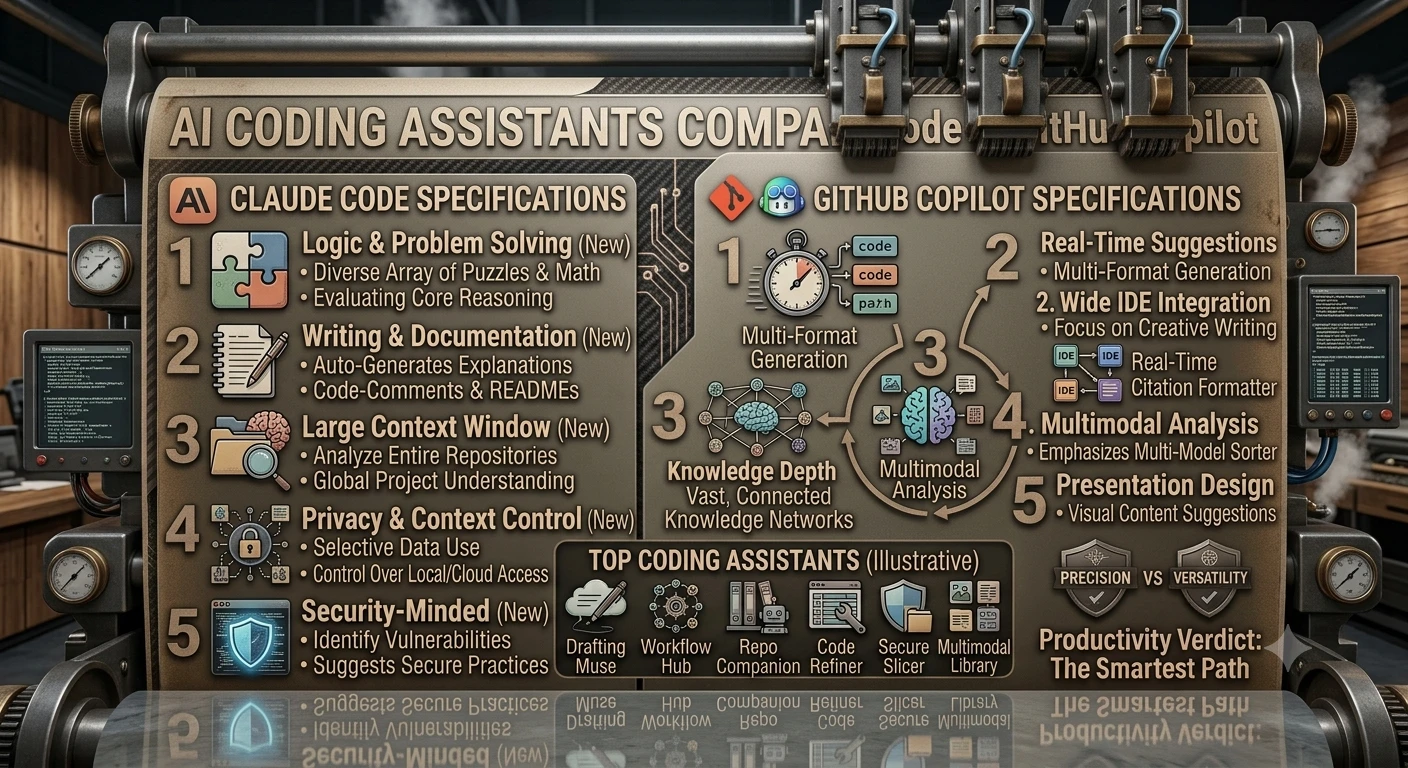
A practical, in-depth comparison of two of the leading AI-assisted software development tools on the market — architecture, features, workflows, pricing, security posture, and which fits which team.
1. Executive Summary
Claude Code and GitHub Copilot represent two distinct philosophies for bringing AI into the software development lifecycle. Claude Code, built by Anthropic, is an agentic command-line and IDE-integrated assistant designed to plan, edit, run, and debug across an entire codebase with minimal hand-holding. GitHub Copilot, built by GitHub and Microsoft, began as an inline autocomplete tool and has since expanded into chat, code review, and an agent mode, while retaining its roots as the most widely deployed AI pair-programmer in the industry.
Neither tool is a strict upgrade over the other; they optimize for different jobs. Copilot's strength is frictionless, low-latency assistance across a huge range of IDEs, with mature enterprise tooling built up over several years in market. Claude Code's strength is deeper autonomy: it can be handed a multi-step task, explore a large repository, coordinate changes across files, run tests, and iterate on failures with less supervision. This report compares both tools across architecture, features, platform support, pricing, security, and team fit, and closes with practical guidance for choosing between them.
Pricing details, model names, and specific plan features change frequently for both products; figures here reflect publicly available information as of mid-2026 and should be confirmed against each vendor's current pricing page before purchasing.
2. Introduction to AI Coding Assistants
AI coding assistants have moved through three broad generations: single-line autocomplete based on surrounding code; conversational chat panels that explain code and answer questions about a repository; and today's agentic generation, where the assistant takes a natural-language goal, breaks it into steps, uses tools such as a terminal or test runner, and keeps working across many turns with limited human intervention.
Both tools now span parts of all three generations, but emphasize different points on that spectrum. Copilot is still primarily an editor extension with completions as the default surface and agent mode as an added capability. Claude Code was designed agent-first: the terminal, or an IDE panel wrapping it, is the primary interface. The rest of this report treats the two products as representative of that broader divide, noting that both vendors are converging over time.
3. Claude Code: Overview & Architecture
Claude Code is Anthropic's agentic coding tool. It is most commonly used from the command line, but it is also available inside popular IDEs and as a desktop and mobile experience, letting a developer delegate a coding task and check in on progress rather than typing every keystroke themselves.
Core design principles
- Agent-first interaction. Instead of accepting or rejecting inline suggestions, the developer gives Claude Code a goal in plain language — "add pagination to this API and update the tests" — and the agent plans and executes the steps.
- Whole-repository awareness. Claude Code reads across files and directories as needed rather than relying solely on the currently open file, which helps it make coordinated multi-file changes.
- Tool use. The agent can run shell commands, execute test suites, search the web, and call external services through the Model Context Protocol (MCP), extending it beyond code generation into tasks like dependency upgrades, log triage, and CI debugging.
- Iteration loop. When a change breaks a test or lint rule, Claude Code can see the failure output and attempt a fix automatically, repeating until the task passes or it reaches a checkpoint where it asks for guidance.
Where it lives
Claude Code runs from the terminal and also integrates with editors such as VS Code and JetBrains IDEs, the Claude desktop app, and a mobile app for checking on or steering long-running tasks remotely. Because it is not tied to a single IDE's extension marketplace, it fits naturally into existing terminal-centric and scriptable developer workflows, including CI pipelines.
Extensibility
Claude Code supports project-level configuration, custom commands, and MCP servers that connect it to external systems such as issue trackers, databases, or internal APIs. Teams can encode house style and repeated workflows as reusable skills, so the agent behaves consistently across a codebase rather than needing the same context re-explained in every session.
Typical workflow
A developer typically opens a terminal session in a repository, describes a task, and either watches Claude Code work in real time or lets it run semi-autonomously with permission prompts for risky actions (like deleting files or pushing to a remote). For larger efforts, several agent sessions can be run in parallel on different parts of a codebase, then reviewed and merged by a human, which suits teams comfortable delegating well-scoped chunks of work.
Model behavior, exact command syntax, and platform availability change frequently; developers should check Anthropic's Claude Code documentation for the current feature set before relying on specific details.
4. GitHub Copilot: Overview & Architecture
GitHub Copilot, launched in 2021, was the first widely adopted AI pair-programming tool and remains the most broadly deployed one, reporting adoption in the tens of millions of developers across individual and enterprise accounts. It began as an inline, ghost-text autocomplete engine and has since grown into a suite that also includes a chat panel, code review, and an agent mode.
Core design principles
- Completion-first experience. Copilot's signature interaction is still the inline suggestion that appears as a developer types, which they can accept, reject, or cycle through alternatives for.
- Chat and workspace context. Copilot Chat answers questions about open files, selected code, or a broader workspace, and can generate or edit code from a conversational prompt.
- Agent mode. Newer releases add a more autonomous mode that can plan and execute multi-step changes across a repository, run terminal commands, and iterate — narrowing the gap with agent-first tools like Claude Code, though it is layered on top of an editor-centric product rather than being the default interaction.
- Model flexibility. Copilot has moved toward letting users choose among multiple underlying models (including models from more than one provider) for chat and agent tasks, rather than shipping a single fixed model.
Where it lives
Copilot's primary distribution is as an extension for mainstream IDEs — Visual Studio Code, Visual Studio, the JetBrains family, Neovim, and Xcode — plus a web-based chat experience on GitHub.com and a command-line interface. Its deep integration with GitHub's own pull request, issue, and Actions tooling is a distinguishing feature, since code suggestions, reviews, and repository context can flow through the same platform where the code is hosted.
Extensibility
Copilot supports custom instructions files that steer its suggestions toward a team's conventions, along with extensions that connect it to third-party tools from within chat. Enterprise customers can also point Copilot at internal knowledge bases so answers reflect internal documentation rather than public code patterns alone.
Typical workflow
A developer writes code as usual, with Copilot silently proposing completions, and switches to the chat panel for larger asks — refactoring a function, writing tests, or explaining unfamiliar code. For bigger changes, agent mode can be pointed at an issue or a natural-language task and left to produce a pull request for review, mirroring the delegate-and-review pattern of agent-first tools while staying anchored to GitHub's review workflow.
Feature availability differs across plans and IDEs, and GitHub has iterated quickly on agent mode and model choice; consult GitHub's documentation for the current state of each surface.
5. Feature-by-Feature Comparison
The table below summarizes how each tool approaches the capabilities developers evaluate most often. Ratings are qualitative and reflect each product's default emphasis, not a hard ceiling — both vendors add capabilities to the other's traditional strengths over time.
| Capability | Claude Code | GitHub Copilot |
|---|---|---|
| Primary interaction model | Agent you delegate a task to; terminal-first, IDE panels available | Inline completions plus chat; agent mode layered on top |
| Autonomy on multi-step tasks | High — designed to plan, edit multiple files, run tests, and iterate with less supervision | Growing — agent mode can do this, but completions/chat remain the default surface |
| Whole-repository context | Reads across the codebase as needed to plan changes | Strong within workspace/open files; repository-wide reasoning depends on mode and plan |
| Tool use / running commands | Can run shell commands, execute tests, and call external tools via MCP | Agent mode can run terminal commands; classic completions/chat do not |
| IDE integration depth | VS Code and JetBrains extensions, terminal, desktop and mobile apps | Deepest and broadest IDE support: VS Code, Visual Studio, JetBrains, Neovim, Xcode |
| Native platform integration | Works with any Git host; not tied to a specific code-hosting platform | Tightly integrated with GitHub pull requests, issues, and Actions |
| Model choice | Anthropic Claude model family | Multiple models selectable, including options from more than one provider |
| Extensibility | MCP servers, custom commands, project-level skills/config | Custom instructions files, chat extensions, enterprise knowledge base integration |
| Best-known strength | Autonomous, multi-file execution on well-scoped engineering tasks | Fast, low-friction suggestions with the widest editor and market reach |
Both products ship new capabilities frequently, and the industry-wide trend is convergence — completion-first tools are adding agent modes, and agent-first tools are adding lighter-weight inline assistance. Treat the table as a snapshot of default character rather than a permanent ceiling on either tool.
6. IDE, Platform & Ecosystem Support
Editor and platform coverage often decides adoption before any qualitative comparison of output quality even comes into play, since a tool that does not run where a team already works creates friction regardless of how capable it is.
| Surface | Claude Code | GitHub Copilot |
|---|---|---|
| Command line / terminal | Yes — primary interface | Yes — via GitHub CLI extension |
| VS Code | Yes, via extension | Yes, flagship experience |
| JetBrains IDEs | Yes, via extension | Yes |
| Visual Studio | Not a primary target | Yes |
| Neovim | Community/terminal-based use | Yes, official support |
| Xcode | Not a primary target | Yes |
| Desktop app | Yes (Claude desktop app) | No dedicated desktop app; web + IDEs |
| Mobile | Yes, for monitoring/steering long tasks | Limited; primarily via GitHub Mobile chat |
| Native Git-hosting integration | Host-agnostic (GitHub, GitLab, Bitbucket, etc.) | Deepest with GitHub itself (PRs, Issues, Actions) |
| CI/automation use | Scriptable from terminal/CI pipelines | Integrates with GitHub Actions workflows |
Reading the table
GitHub Copilot's advantage here is breadth: it reaches nearly every mainstream IDE and integrates natively with the platform that already hosts most of the world's Git repositories, so teams already living inside GitHub pull requests get review and suggestion features without leaving that workflow. Claude Code's footprint is narrower by design but is not limited to a single code host, which matters for organizations on GitLab, Bitbucket, or self-hosted Git — and its terminal-first, scriptable nature makes it straightforward to invoke from build scripts or CI jobs outside of any particular IDE.
7. Pricing & Plans
Both vendors have shifted pricing models more than once over the past two years, moving from flat seat pricing toward hybrid models that meter heavier agentic usage. The figures below are representative of publicly reported 2026 pricing and are likely to keep changing — always confirm current numbers on each vendor's pricing page before budgeting.
GitHub Copilot
| Plan | Approx. price | Positioning |
|---|---|---|
| Free | $0 | Limited monthly completions and chat messages; good for trying the product |
| Pro | ~$10/user/month | Unlimited completions plus a monthly allowance for chat and agent usage |
| Pro+ | ~$39/user/month | Higher usage allowance for power users and heavier agent workloads |
| Business | ~$19/user/month | Org-wide policy controls, audit logs, and IP indemnity for teams |
| Enterprise | ~$39/user/month | Adds knowledge-base integration, advanced security, and custom deployment options |
Claude Code
Claude Code is included with Claude subscription plans rather than sold as a separate line item. Access and usage allowances scale with the underlying Claude plan — for example, a free tier with limited usage, a Pro-level individual plan, higher-capacity plans aimed at heavy daily use, and seat-based Team and Enterprise plans with centralized administration, SSO, and higher usage ceilings for organizations.
- Free / limited usage: enough to evaluate the tool on small tasks.
- Individual paid plan: everyday usage for a single developer, priced similarly to other premium AI subscriptions.
- Higher-capacity individual plan: aimed at developers who run Claude Code for long or frequent agentic sessions and need substantially more usage headroom.
- Team / Enterprise plans: per-seat pricing with centralized billing, administration, and security controls suited to organizations rolling the tool out broadly.
Cost considerations beyond the sticker price
Because both tools now meter heavier agentic work against a usage allowance rather than charging a single flat fee for everything, the effective cost for a team depends heavily on how often engineers invoke agent-style, multi-step tasks versus lightweight completions or chat. Teams that plan to lean on autonomous, long-running tasks should budget for higher-tier plans on either product rather than assuming entry-level pricing will cover that usage pattern.
8. Performance, Code Quality & Agentic Capability
Head-to-head benchmark scores for AI coding tools change on almost a monthly cadence as both vendors update underlying models, so this report avoids citing specific benchmark percentages that would likely be stale by the time it is read. Instead, the qualitative patterns below have held fairly consistently across independent reviews and developer reports.
Where Claude Code tends to stand out
- Longer, multi-step tasks that touch several files — for example, migrating an API, refactoring a module and its call sites, or resolving a cluster of related test failures in one pass.
- Tasks that benefit from running commands and observing real output, such as fixing a bug by reading a stack trace it produced itself, rather than guessing from static code alone.
- Workflows where a developer wants to describe an outcome and check in periodically, rather than reviewing every intermediate suggestion.
Where GitHub Copilot tends to stand out
- Fast, low-latency completions while actively typing, which many developers find less disruptive than switching into an agent-delegation mindset for small edits.
- Familiar, incremental assistance for developers who prefer to stay in control of each line rather than reviewing a larger autonomous diff after the fact.
- Workflows tightly bound to GitHub's pull request and code review process, where suggestions and review comments live alongside the rest of the collaboration history.
A note on evaluating claims
Marketing materials from both companies cite favorable benchmark results, and third-party comparisons frequently disagree with each other depending on task selection and model version at time of testing. Teams evaluating either tool are better served running a short pilot on their own representative tasks — a real bug fix, a real feature, a real refactor — than relying solely on published benchmark tables.
9. Security, Privacy & Enterprise Readiness
Enterprise buyers typically weigh three questions for any AI coding tool: what happens to our code when it is sent to the model, who can turn features on or off, and what compliance certifications does the vendor hold.
- Data handling. Both vendors offer enterprise-tier commitments that customer code is not used to train foundation models by default on paid plans, though exact terms and any opt-in exceptions should be read directly from each vendor's current data processing agreement.
- Admin controls. Both support organization-level policy management — enabling or disabling features, restricting which repositories or models are accessible, and centralizing billing.
- Audit and compliance. Enterprise tiers generally include audit logging, SSO/SAML support, and alignment with common compliance frameworks, though specific certifications and their scope vary and should be verified for a given deal.
- IP and suggestion provenance. Copilot's Business and Enterprise tiers include an IP indemnity commitment and an optional filter for suggestions that closely match public code. Anthropic's commercial terms for Claude Code similarly address usage rights for generated code; legal teams should review specific contract language rather than general marketing claims.
10. Use Cases: Which Tool Fits Which Team
The right choice depends less on which tool is "better" in the abstract and more on how a team already works, what kind of tasks dominate its backlog, and how much autonomy it is comfortable granting an AI system before a human reviews the result.
Consider Claude Code when…
- Your backlog includes large, well-defined chores — dependency upgrades, repetitive refactors, test backfilling — that are tedious for humans but describable in a short brief.
- Your team is comfortable reviewing pull-request-sized diffs from an agent rather than approving each line as it's typed.
- You want an assistant that can run your test suite, read the failure, and try again without constant hand-holding.
- Your codebase spans multiple Git hosts or isn't hosted on GitHub, and you want a tool that isn't tied to a specific platform.
- You already use or plan to use MCP-based integrations to connect the assistant to internal systems.
Consider GitHub Copilot when…
- Your team's core need is fast, unobtrusive help while writing code line by line, rather than delegating multi-step tasks.
- You're already standardized on GitHub for hosting, pull requests, and Actions, and want AI features that plug directly into that workflow.
- Your organization needs support across a very wide range of IDEs (Visual Studio, Xcode, Neovim, and more) rather than a smaller set of primary editors.
- You want the option to choose among several underlying models for chat and agent tasks within one subscription.
- You're prioritizing the most mature, longest-running enterprise deployment track record in the category.
Using both together
Many engineering organizations do not treat this as an either/or decision. It's common to keep Copilot's inline completions active for everyday typing while reaching for Claude Code on larger, well-scoped chunks of work — such as a multi-file migration or a stubborn bug that benefits from an agent that can run tests and iterate on its own. Licensing costs and internal policy (for example, restrictions on which tools can access proprietary code) are usually the deciding factors on whether running both is practical.
11. Strengths, Weaknesses & Final Recommendation
| Tool | Strengths | Weaknesses |
|---|---|---|
| Claude Code | Strong multi-step autonomy; can run commands and iterate on failures; host-agnostic; scriptable from the terminal and CI; flexible extensibility via MCP. | Smaller IDE footprint than Copilot; less suited to developers who prefer line-by-line inline suggestions; newer to market with a shorter enterprise track record. |
| GitHub Copilot | Broadest IDE and platform support; deep native integration with GitHub's PR and Actions workflow; long enterprise track record and large existing user base; flexible model choice. | Agent mode is a newer addition layered on a completion-first product; deepest integration benefits are strongest specifically for teams already standardized on GitHub. |
Final take
GitHub Copilot remains the safer default for teams that want the widest editor support, the tightest GitHub integration, and the longest enterprise track record, especially if their primary need is fast, low-friction assistance while writing code. Claude Code is the stronger choice for teams ready to delegate larger, well-scoped engineering tasks to an agent that can plan across files, run commands, and iterate with less supervision, particularly outside of an all-GitHub environment.
In practice, the fastest way to decide is a short side-by-side pilot: pick two or three real, representative tasks from your own backlog — one small edit, one multi-file refactor, and one bug fix that requires running tests — and give each tool the same brief. The qualitative feel of the output, the amount of review each result needs, and how well each tool fits your team's existing workflow will usually be more informative than any published benchmark.
This report is an independent product comparison for informational purposes. Product names, pricing, and features referenced belong to their respective owners (Anthropic and GitHub/Microsoft) and are subject to change; verify current details directly with each vendor before making purchasing decisions.